Mobile app
Contractor Guardians
One app for homeowners and their contractors, with chat and safe payments.
- Product
- Contractor Guardians
- Platform
- iOS and Android, 430 px
- Roles
- Homeowner, contractor, admin
- Deliverables
- Two app flows, admin login, store assets

Overview
One app for homeowners and contractors.
Contractor Guardians connects homeowners with contractors. Homeowners post jobs, compare, message, hire and pay through escrow. Contractors verify, send proposals and manage contracts.
I designed both sides, seven milestones each, from sign in and KYC to payments, plus an admin login, app icons and App Store screenshots.
The challenge
Hiring a contractor takes trust.
- 01Homeowners must know who they hire before money moves.
- 02Contractors must prove who they are before bidding.
- 03Two very different roles share one app.
The approach
Verify first, then pay by milestone.
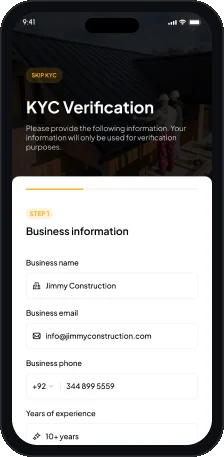
- 01Contractors follow a step by step KYC flow.
- 02Payments stay in escrow until milestones are approved.
- 03Each role has its own tab bar.
User flow
Two roles, two journeys.
One visual system serves homeowners and contractors.
Homeowner
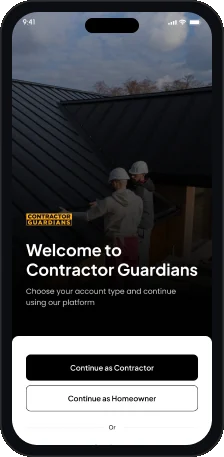
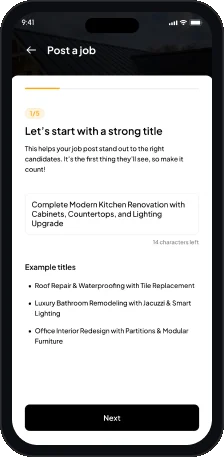
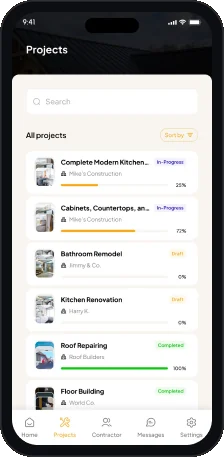
Contractor
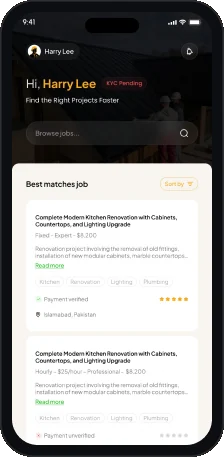
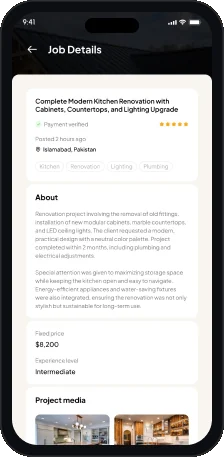
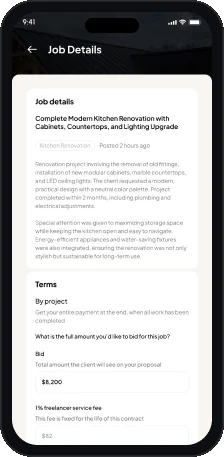
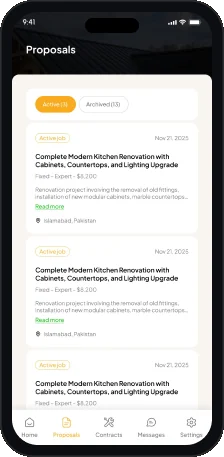
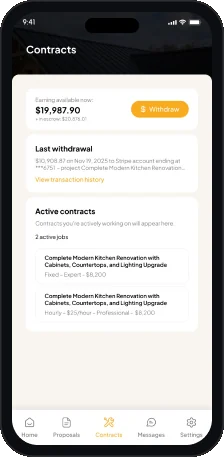
Key screen
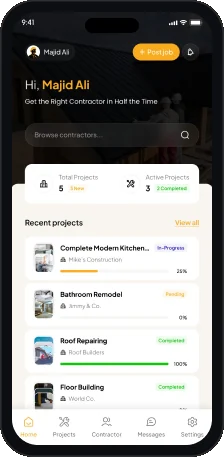
Homeowner dashboard.
From new jobs to project progress.
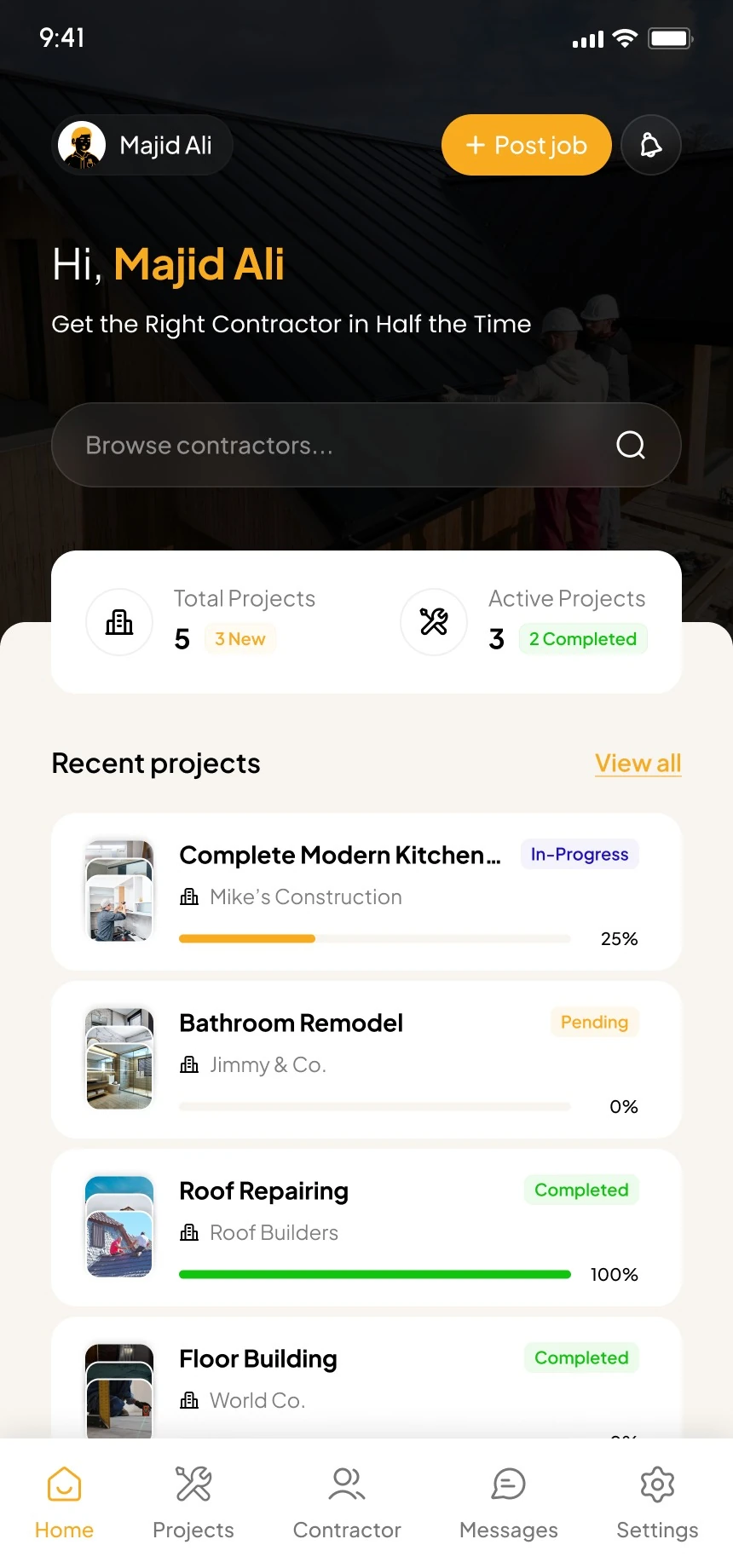
- 1Post a job
The main action sits in the header.
- 2Personal greeting
Hi, Majid Ali, Get the Right Contractor in Half the Time.
- 3Browse contractors
Search sits under the greeting.
- 4Project counts
Total, active, new and completed projects.
- 5Status and progress
A status chip and progress bar per project.
- 6Homeowner tabs
Home, Projects, Contractor, Messages and Settings.
Key screen
Contractor contracts.
What is available, in escrow and active.
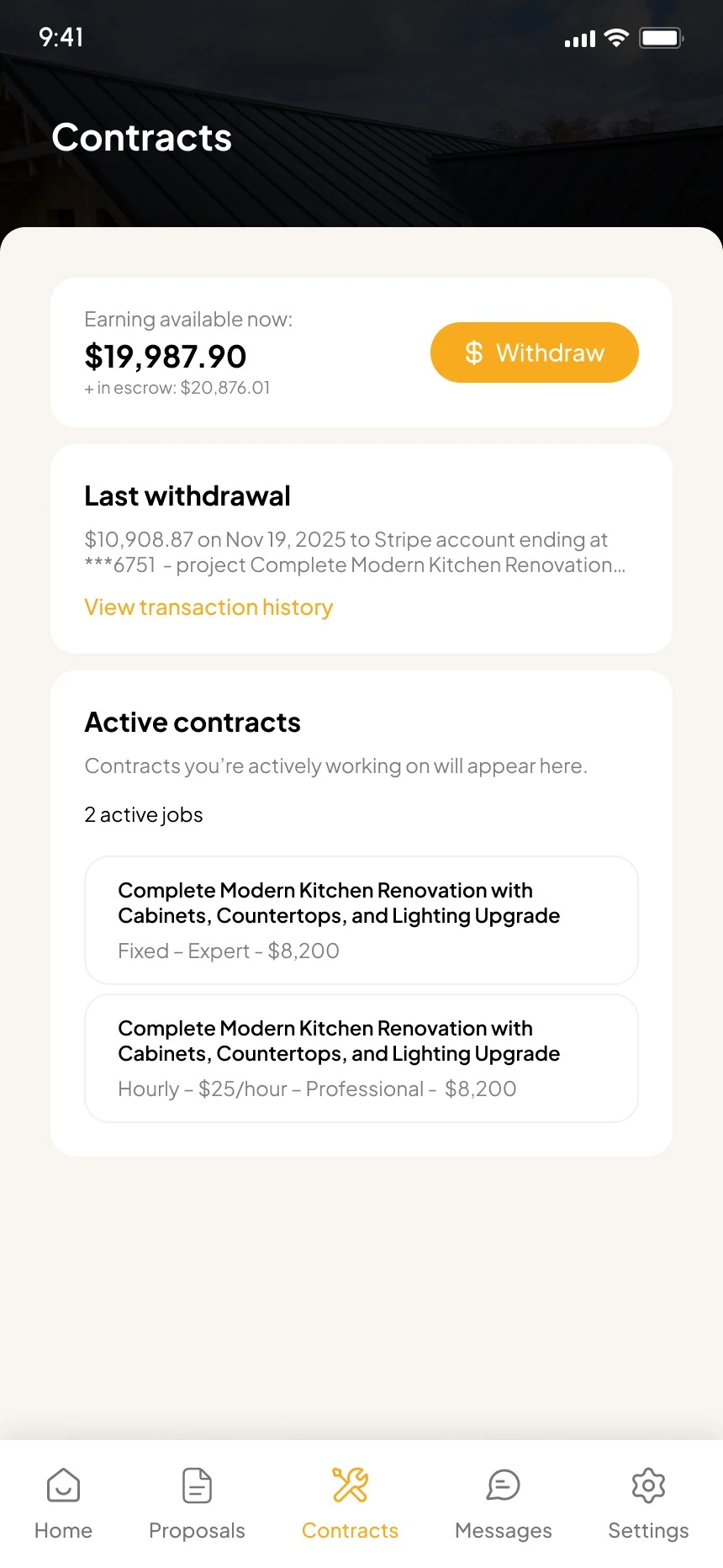
- 1Earnings first
Money available, in escrow, and Withdraw.
- 2Last withdrawal
The latest payout and its account.
- 3Transaction history
A link to every past payment.
- 4Active contracts
Jobs the contractor is working on now.
- 5Contract cards
Job, pricing type and amount.
- 6Contractor tabs
Home, Proposals, Contracts, Messages and Settings.
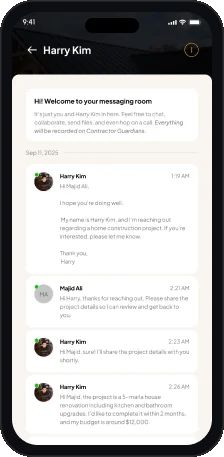
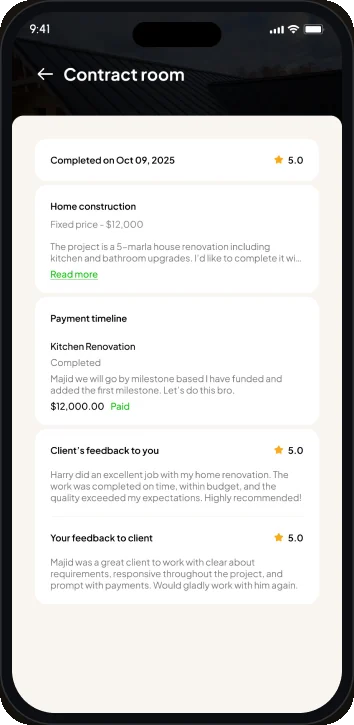
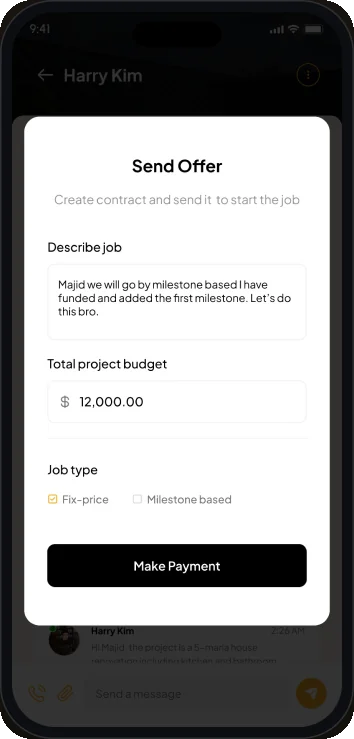
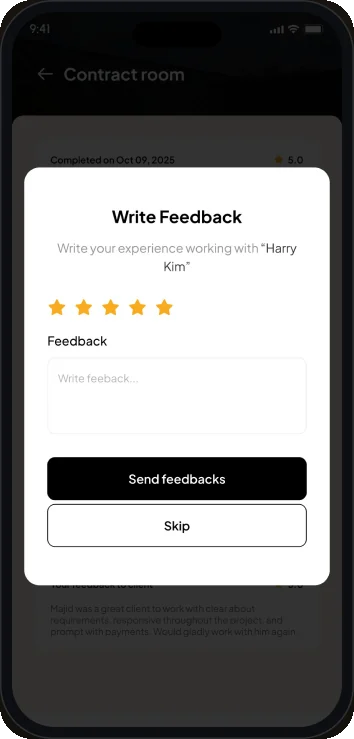
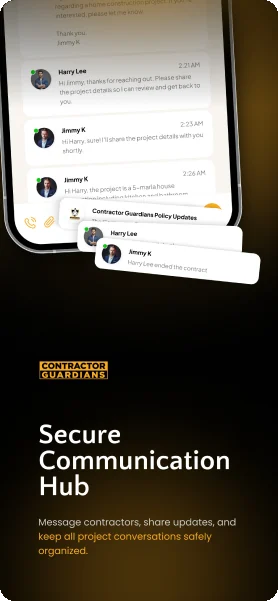
Messaging
Offers, payments and reviews in chat.
View or send an offer, then write a review.
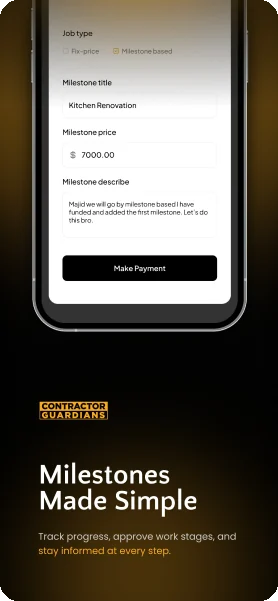
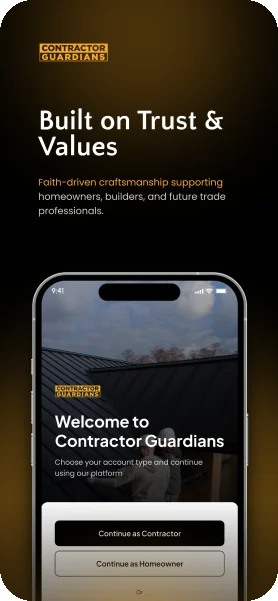
Store assets
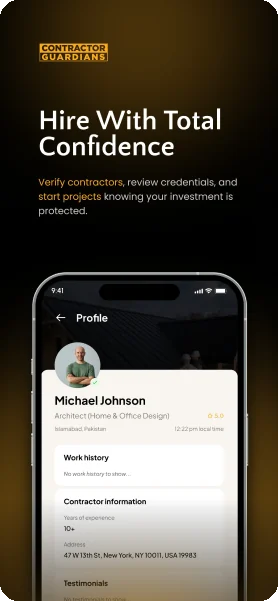
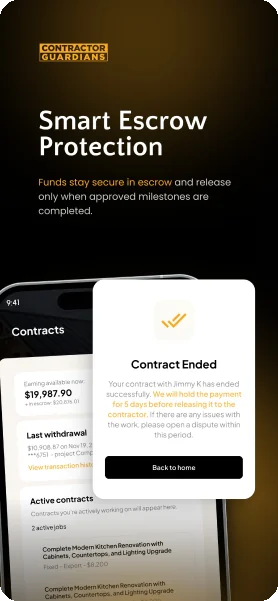
Five App Store screenshots.
Each pairs one promise with the screen that proves it.
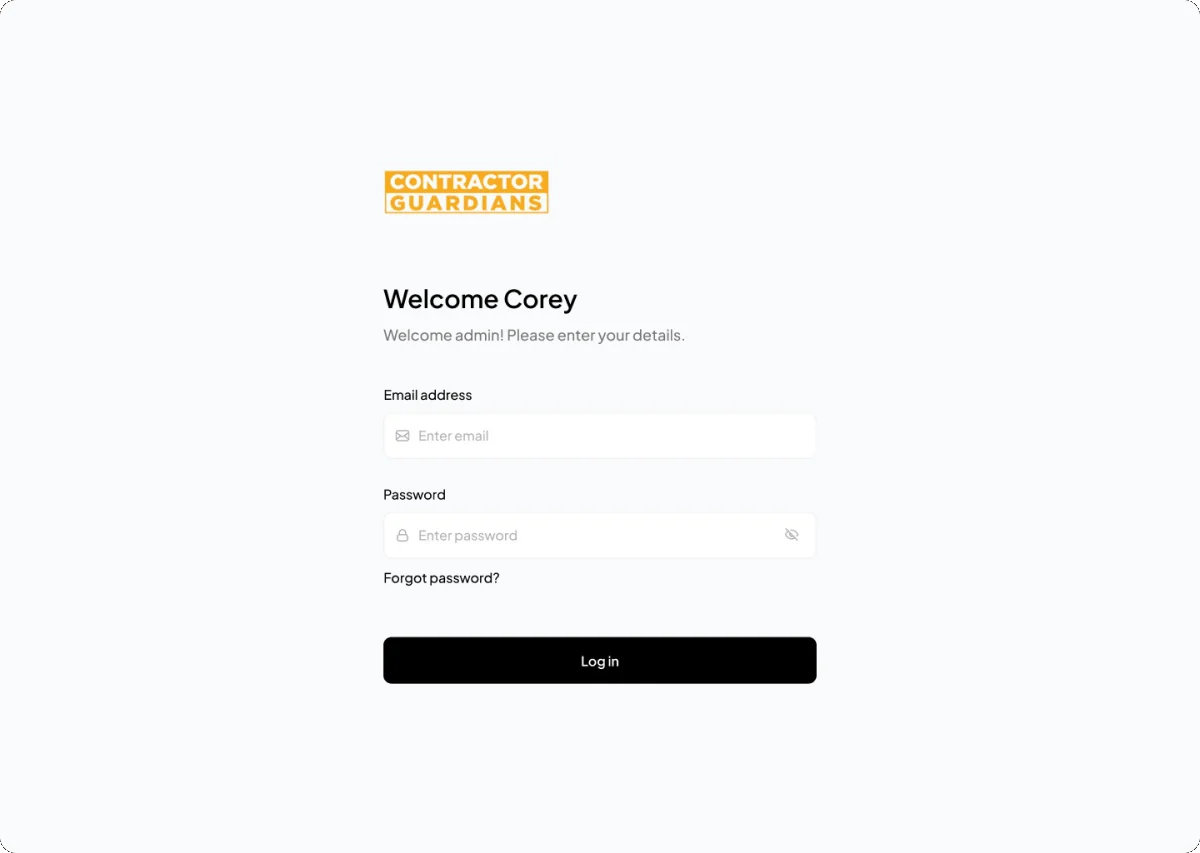
Admin
A separate web login for admins.
Login, forgot password and new password, at 1440 px.
Visual language
Construction orange on black and cream.
Orange marks actions. Cream sits behind content cards.
- Orange
#F9AB20 - Black
#000000 - Cream
#F8F5F0 - Grey text
#777777 - Border
#F1F1F2 - Success
#10C410 - Error
#E74D50
Typography
Typeface
Aa
Plus Jakarta Sans
One family for every screen, from headings and amounts to labels and body text.
- Regular
- Medium
- SemiBold
- Bold
Numbers
$19,987.90
Plus Jakarta Sans
Earnings, bids and budgets are set large and bold so money reads first.
Deliverables
What I delivered.
- Homeowner app
- Contractor app
- Sign in and sign up
- KYC verification
- Job posting
- Messaging and offers
- Escrow payments
- Proposals and contracts
- Settings
- Admin login
- App icons
- Store screenshots
Want this kind of clarity for your mobile app?
Book a free 30 minute call. You leave with 3 written fixes, even if we don’t work together.
 Nafees ZulfiqarUsually replies within an hour
5.0 from 33 Upwork reviewsTop Rated