Mobile app
FitFreak
One fitness app for people who train and their coaches.
- Product
- Fitness and coaching app
- Platform
- Mobile, 375 x 812 frames
- Roles
- Trainer and Regular User
- Deliverables
- 94 screens, user flows, UI design
Overview
One app for trainees and trainers.
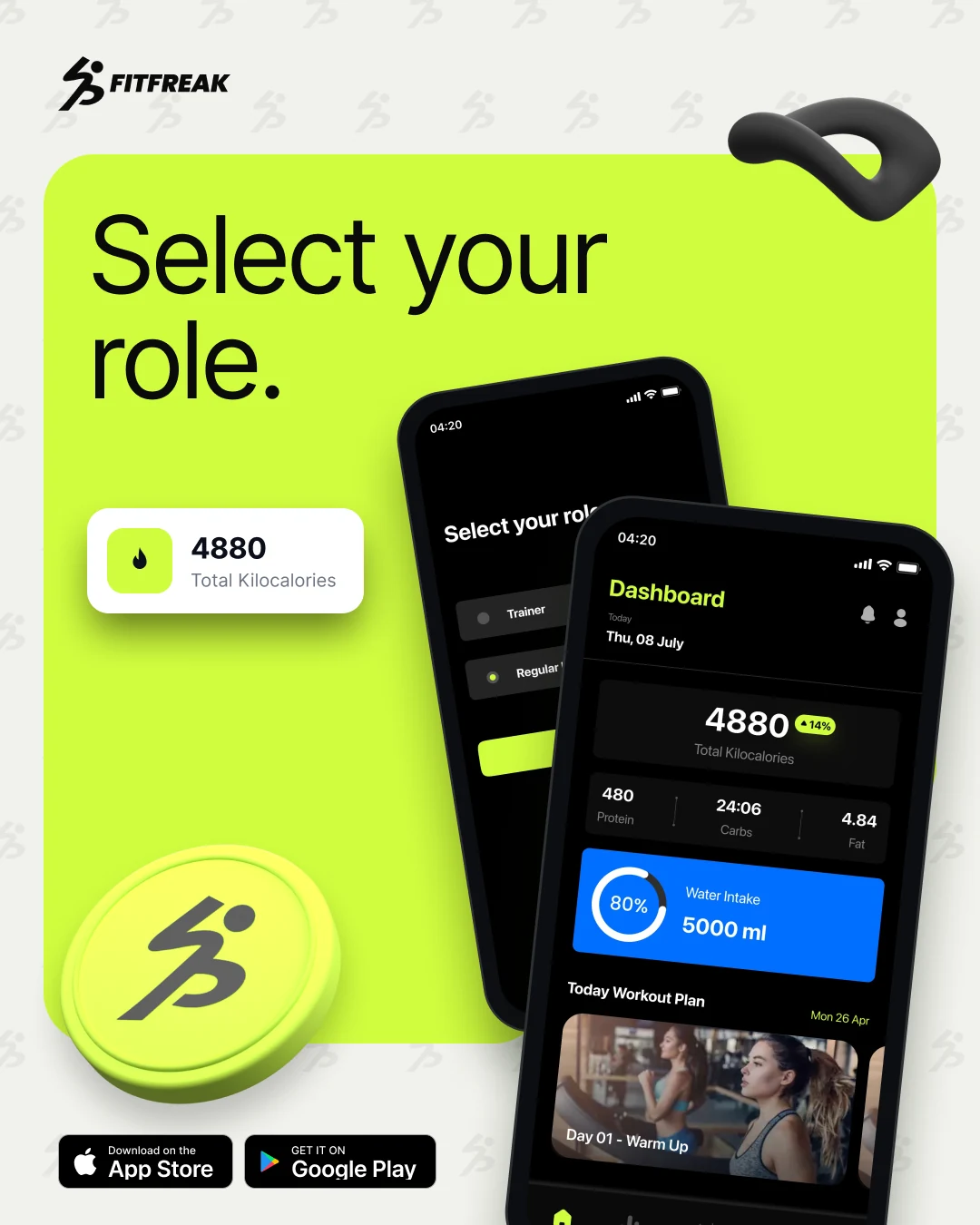
FitFreak is a fitness app with two roles: Trainer and Regular User. Users track calories, water, meals and workouts. Trainers manage clients, plans and schedules.
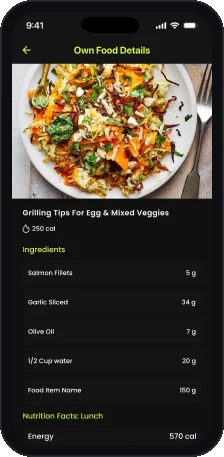
I designed both sides: onboarding, dashboards, nutrition, recipes, coaches and workouts for users, and clients, exercises, plans and subscriptions for trainers.
The challenge
Two users, one product.
- 01A user wants a quick daily picture: calories, water and today's workout.
- 02A trainer needs to see many clients, with measurements and plans.
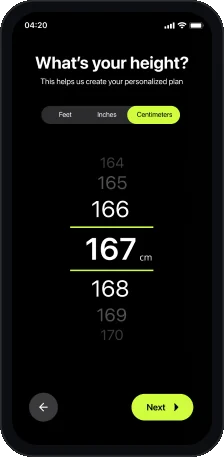
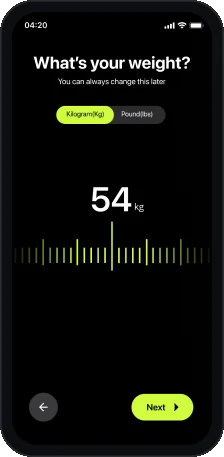
- 03Setup asks for height, weight, age, gender and goals, without feeling like a form.
The approach
Dark screens with one lime accent.
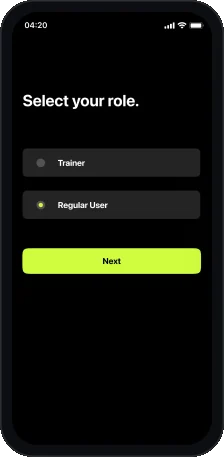
- 01A role picker splits the app on the first screen. Each role gets its own dashboard.
- 02Setup asks one question per screen, with big pickers like a 167 cm height wheel and a 54 kg weight ruler.
- 03Lime marks the active state: buttons, dates, tabs and progress.
User flow
Twelve screens, two roles.
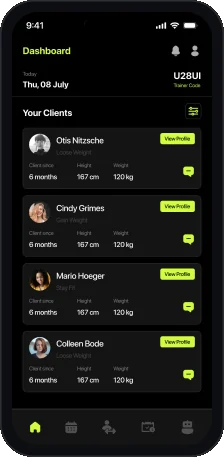
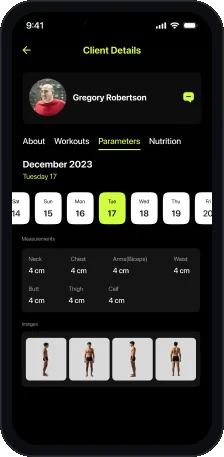
Users set up body and goals first. Trainers get a client dashboard.
Getting started
Training and coaching
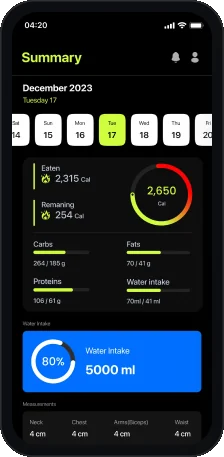
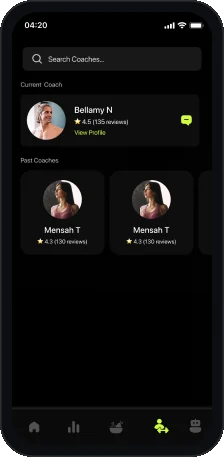
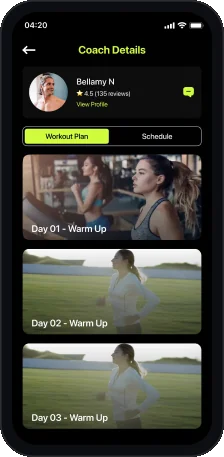
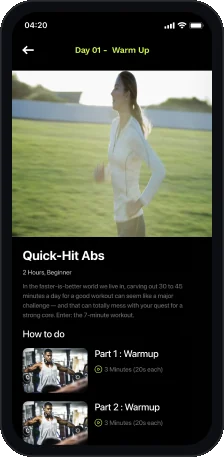
Key screen
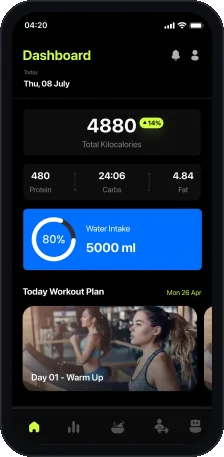
Dashboard.
The whole day on one screen.
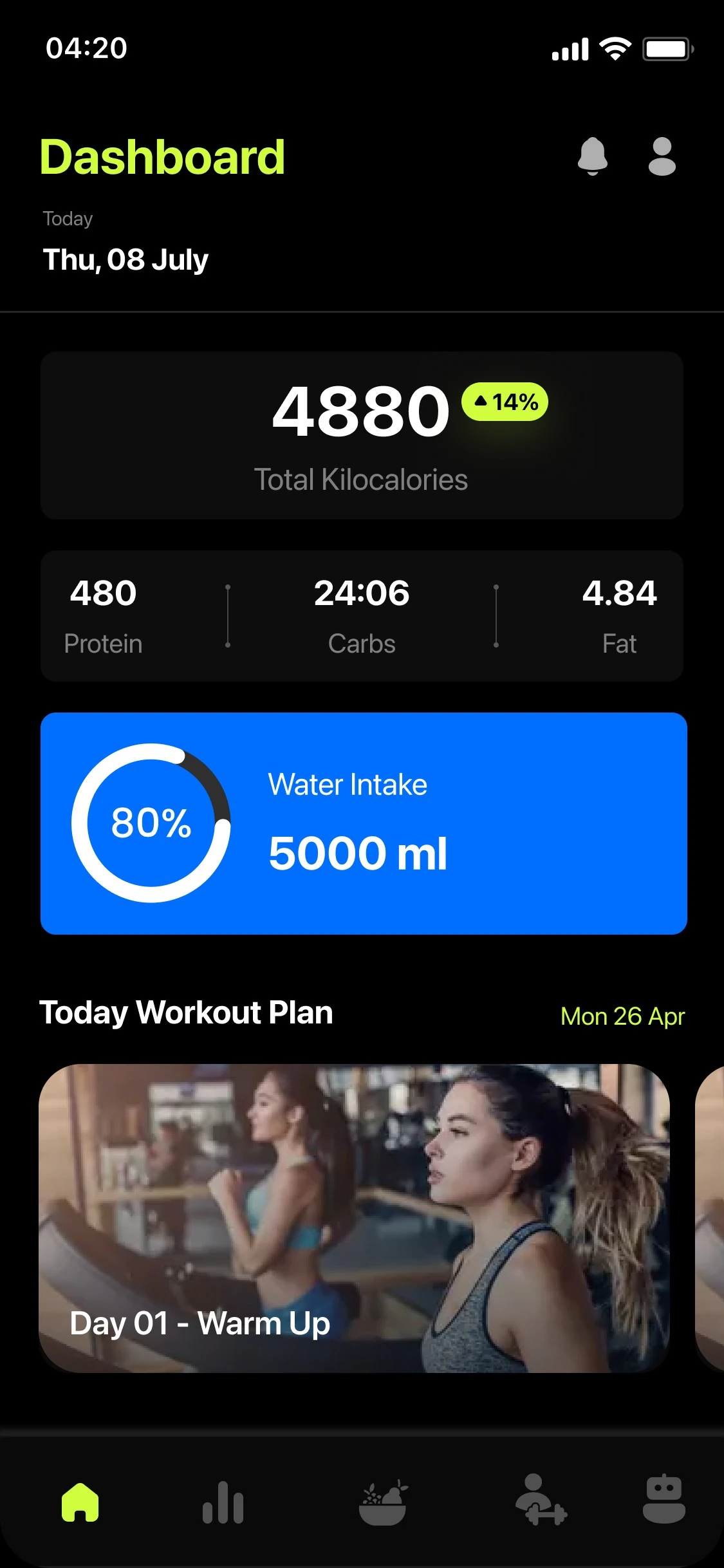
- 1Dashboard header
Title, date, notifications and profile.
- 2Daily calories
4880 total kilocalories with a change badge.
- 3Macros
Protein, carbs and fat in one row.
- 4Water intake
A blue card with a progress ring.
- 5Today Workout Plan
Workout days scroll sideways as photo cards.
- 6Five tabs
Home, stats, nutrition, coaches and more.
Key screen
Client details.
The trainer side. One client, four tabs.
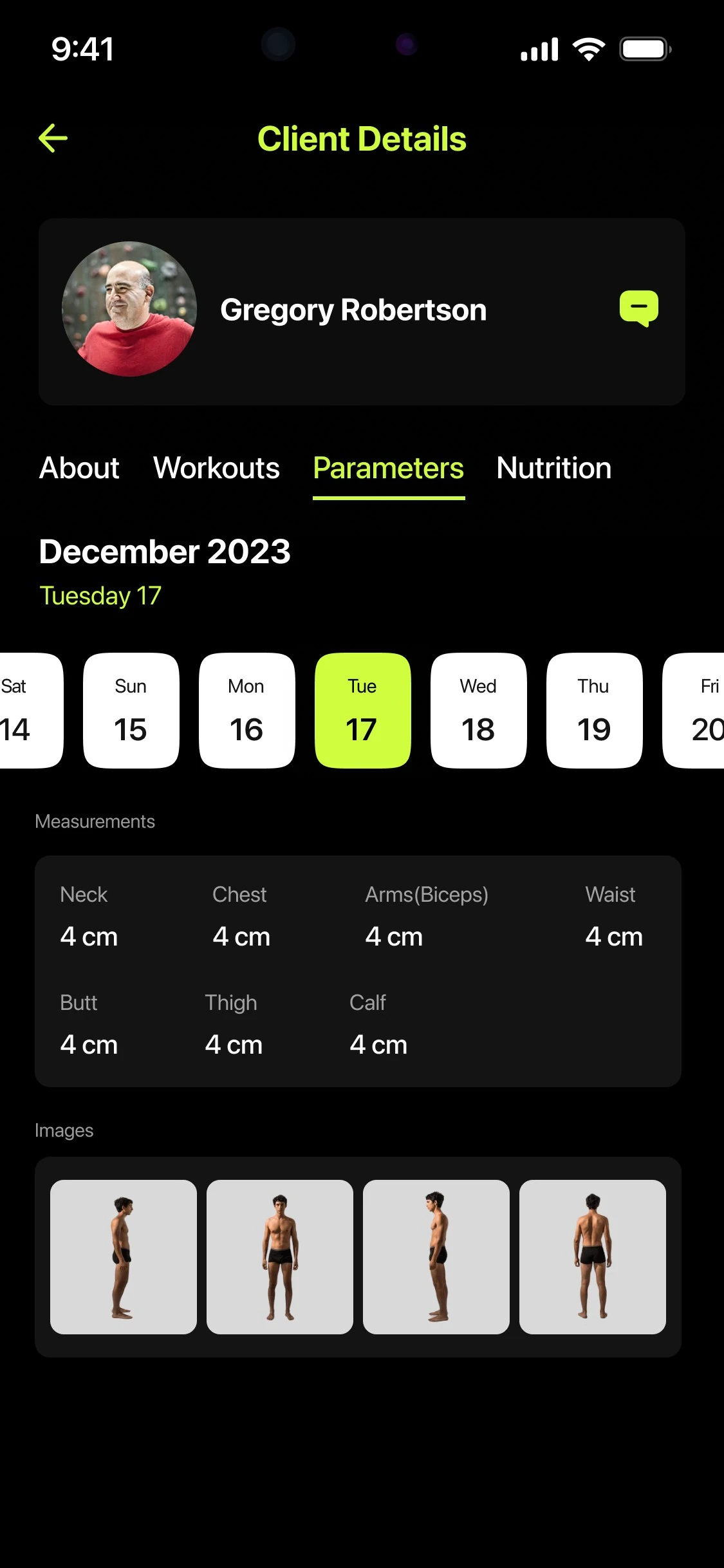
- 1Client card
Photo, name and a message button.
- 2Four tabs
About, Workouts, Parameters and Nutrition.
- 3Date strip
A week strip picks the day, in lime.
- 4Measurements
Neck, chest, arms, waist, butt, thigh and calf.
- 5Progress photos
Body photos sit under the numbers.
Visual language
Black, slate and electric lime.
Lime is for actions. Deep black and slate are for surfaces.
- Lime
#D0FD3E - Black
#000000 - Charcoal
#141414 - Slate
#262D3F - Cool Grey
#C0C7D9 - Blue
#3B7DED - Red
#E43E2B
Typography
Display

SF Pro Display
SF Pro Display for titles, numbers and body text, from Regular to Bold.
- Regular
- Medium
- Semibold
- Bold
Accent
80%
Poppins
Poppins Medium and SemiBold for values such as the water intake ring.
- Medium
- SemiBold
Deliverables
What I delivered.
- User flow
- Role selection
- Onboarding questions
- User dashboard
- Nutrition and recipes
- Summary
- Coaches and workouts
- Trainer dashboard
- Client details
- Plans and subscriptions
Want this kind of clarity for your mobile app?
Book a free 30 minute call. You leave with 3 written fixes, even if we don’t work together.
 Nafees ZulfiqarUsually replies within an hour
5.0 from 33 Upwork reviewsTop Rated