SaaS dashboard
Office Vibe
Team surveys and reports that managers can read in a minute.
- Product
- Employee engagement SaaS
- Users
- Managers, teams and admins
- Deliverables
- Reports, builders, settings, profile
- Screens
- Over 40 desktop screens
Overview
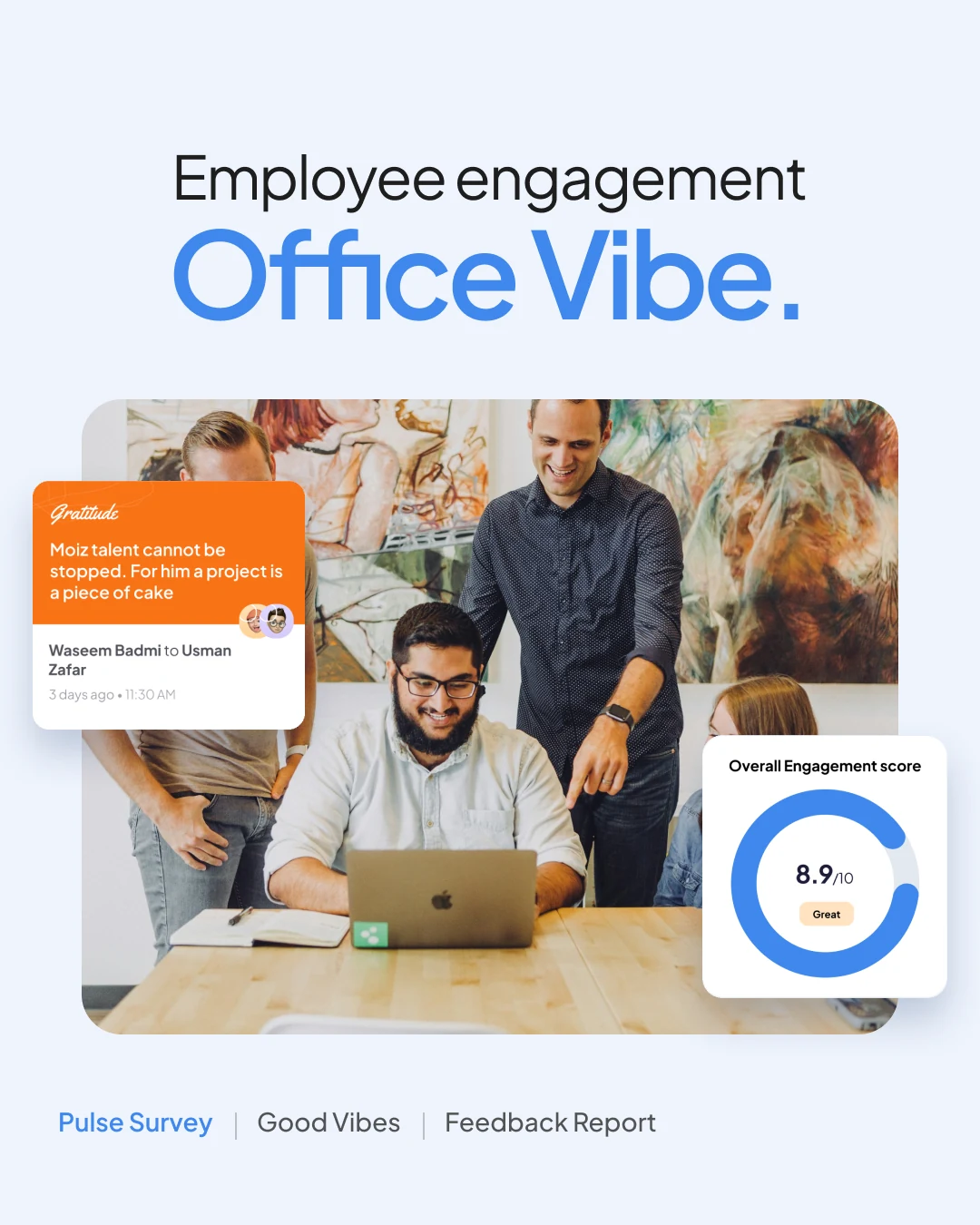
Surveys, feedback and recognition a manager can read in minutes.
Office Vibe helps a company listen to its people with pulse, onboarding and custom surveys, feedback, goals, 1-on-1s and Good Vibes cards.
I designed the desktop product end to end, from reports and builders to 1-on-1 agendas, settings, permissions and profiles.
The challenge
Lots of people data, little time to read it.
- 01Each survey gives scores, trends and dozens of results.
- 02Managers must see where a team does well and needs focus.
- 03Surveys, feedback, goals and recognition had to feel like one product.
The approach
One shell, score first, details on demand.
- 01One sidebar holds every module, with organization and team switching below.
- 02Reports open with a big score, a trend chart and status splits.
- 03The same cards, filters and buttons repeat everywhere.
Structure
Eight modules, one sidebar.
Structure from the sidebar, the reports menu and the settings screens.
Office Vibe
- HomeProfileUpcoming 1-on-1s
- SurveysPulse SurveyOnboardingDEIBCustom Surveys
- FeedbackYour feedbacksFeedback report
- GoalsOrganizationalTeamSelf-development
- 1-on-1New 1-on-1Talking points
- Good VibesCardsGratitudeTeam Player
- ReportsOrg OverviewFeedbackGood Vibes1-on-1sGoals
- SettingsOrganizationIntegrationsPermissionsTeamsProperties
Key screen
Pulse Survey Report.
The report opened after every pulse survey. Score first, then focus.
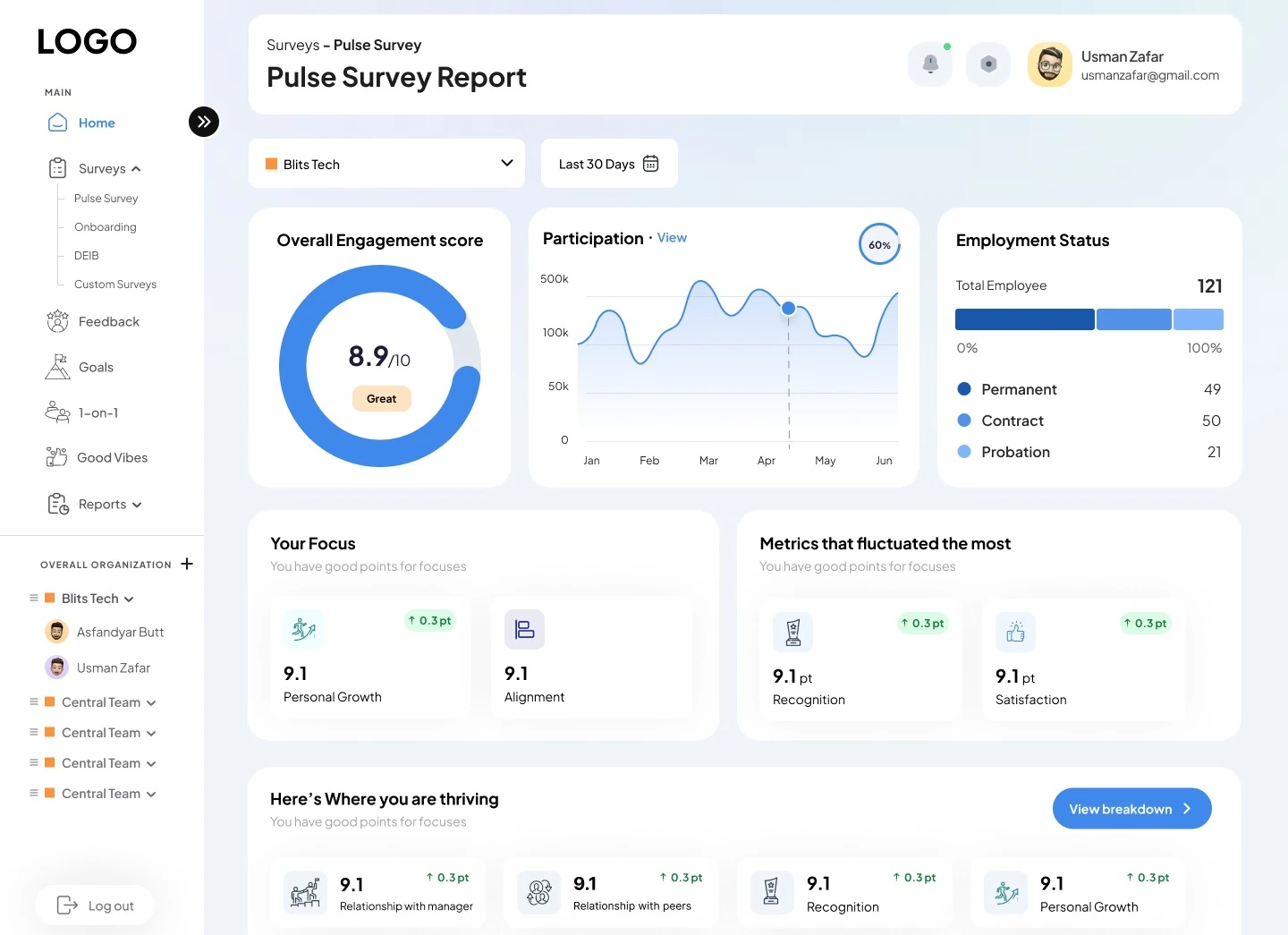
- 1Scope filters
Organization and date range filters sit above every report.
- 2Engagement score
8.9 out of 10 in a donut, labelled Great.
- 3Participation trend
A monthly curve with a hover point and a View link.
- 4Employment status
121 employees split into permanent, contract and probation.
- 5Your focus
Key metrics with point change chips.
- 6Where you are thriving
Ten metric cards and a View breakdown button.
Key screen
Good Vibes.
Colourful recognition cards that teammates send each other.
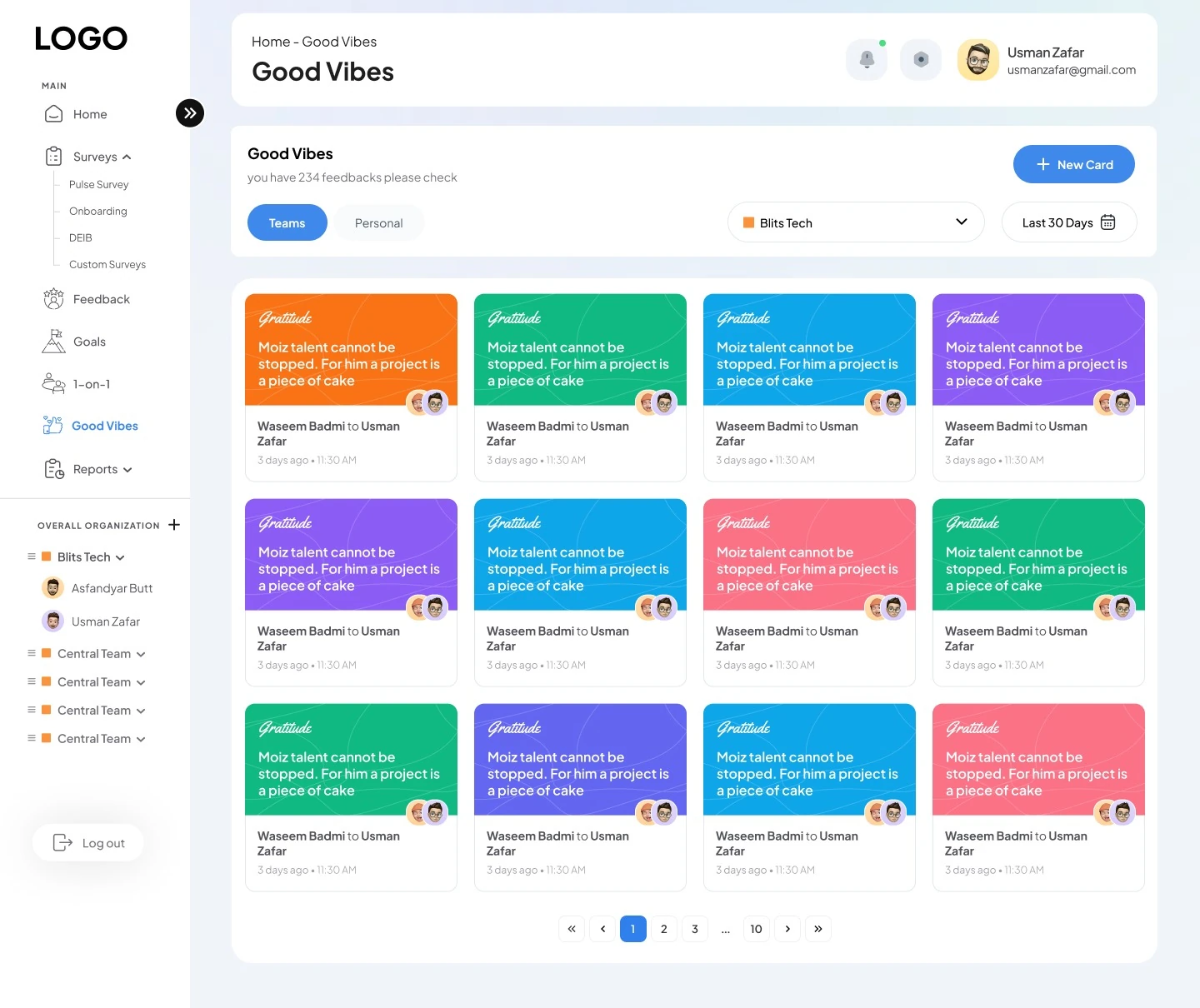
- 1Its own module
Good Vibes sits in the sidebar next to Feedback and Goals.
- 2Teams or personal
Two tabs switch between team cards and your own.
- 3New Card
One blue button sends a new card.
- 4Card labels
Each card has a colour coded script label, like Gratitude.
- 5From and to
Avatars and names show who sent it, to whom, and when.
- 6Paging
234 feedbacks split across numbered pages.
Visual language
Calm blues, one warm accent.
Blue is for actions and data. Orange marks teams and highlights.
- Primary Blue
#3F88EC - Orange
#FB923C - Navy
#011F44 - Zinc 600
#52525B - Ink
#1E1E1E - Sky
#B2DDF2 - Slate 100
#F1F5F9
Typography
Primary typeface
Aa 8.9
Plus Jakarta Sans
Used on every screen for scores, labels, tables and body text.
- Regular
- Medium
- SemiBold
- Bold
- ExtraBold
Accent
Gratitude
Yellowtail
A script face used only for the labels on Good Vibes cards.
Final screens
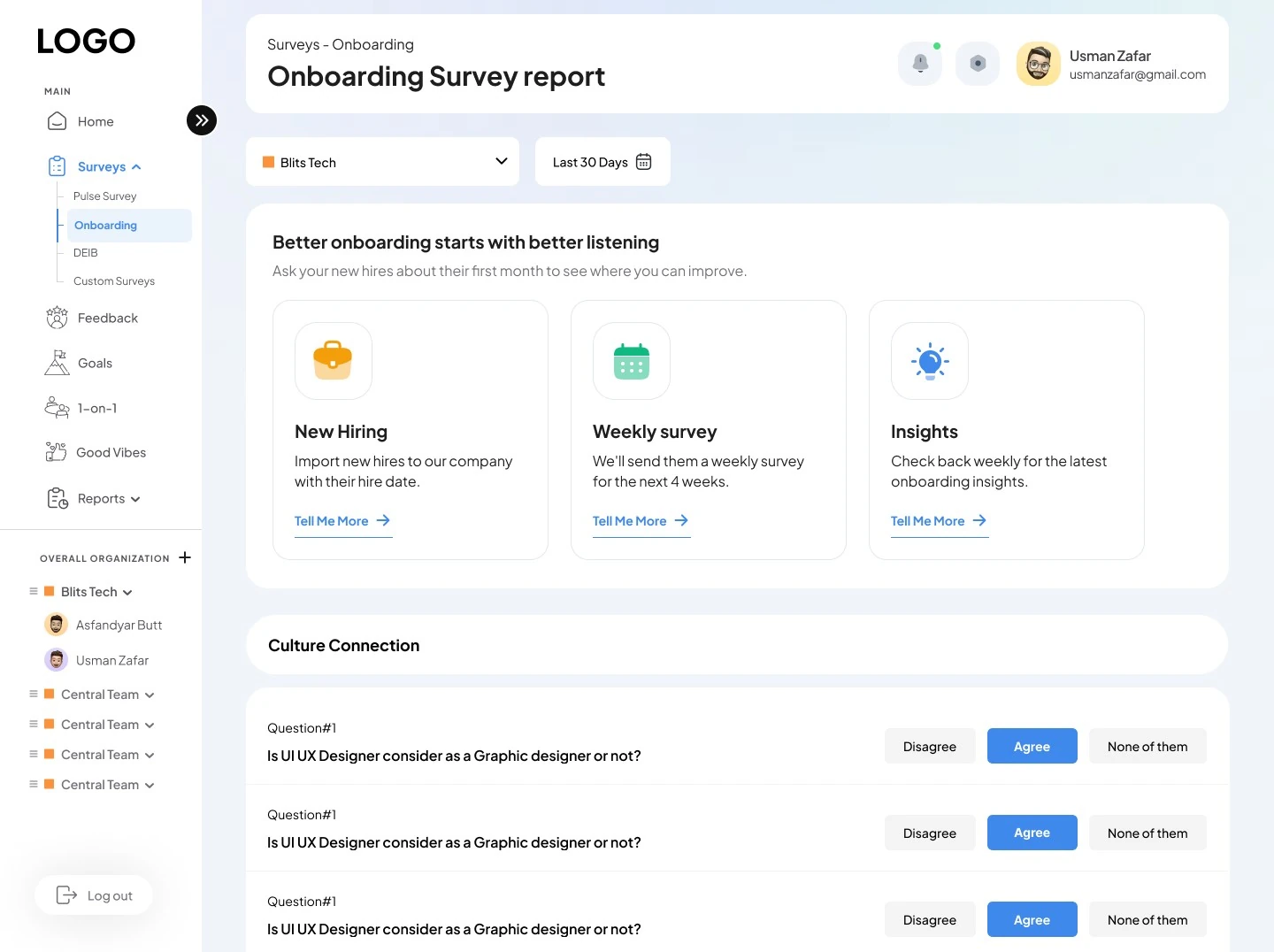
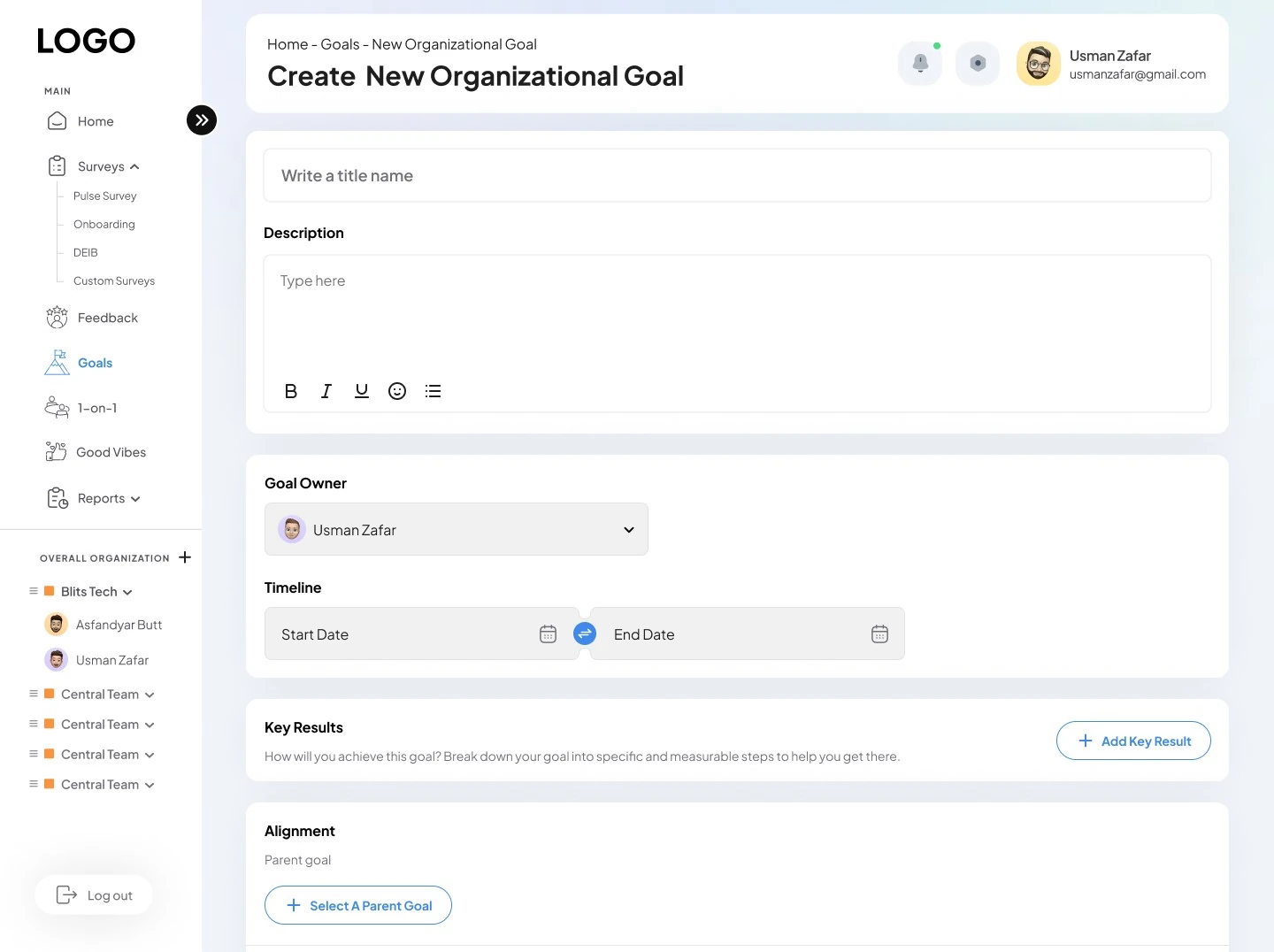
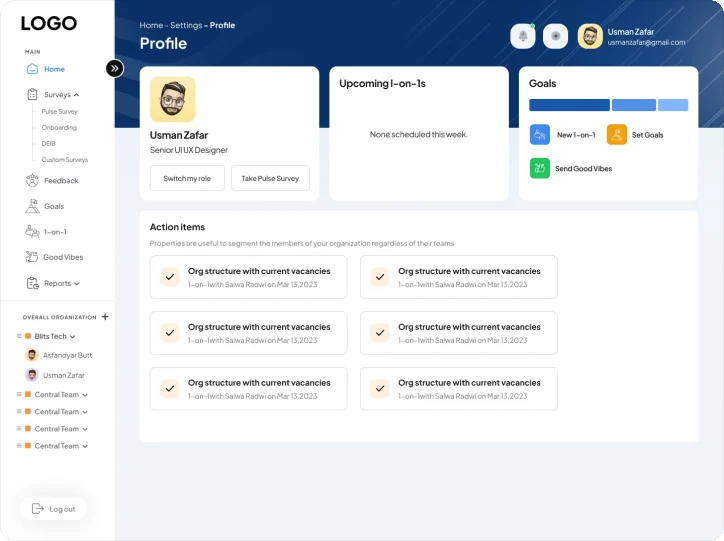
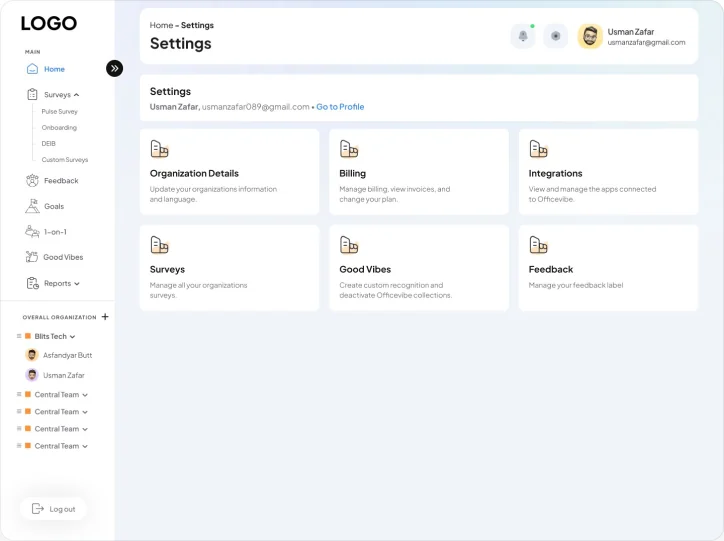
Builders, profiles and settings.
Managers build surveys and goals, review onboarding and set up the organization.
Deliverables
What I delivered.
- Survey reports
- Feedback and goals reports
- Org overview
- Survey builder
- Goal builder
- 1-on-1 agendas
- Good Vibes cards
- Settings and permissions
- Profile
Want this kind of clarity for your SaaS dashboard?
Book a free 30 minute call. You leave with 3 written fixes, even if we don’t work together.
 Nafees ZulfiqarUsually replies within an hour
5.0 from 33 Upwork reviewsTop Rated